MacCare
● Built natively with SwiftUI for macOS

Keep Your Mac
Running Like New

MacCare scans, cleans, and optimizes your Mac with intelligent automation. Reclaim storage, remove duplicates, and monitor system health — all in one beautiful app.

Download Free Learn More

TRUSTED BY MAC USERS WORLDWIDE

macOS Ventura macOS Sonoma macOS Sequoia Apple Silicon Intel Mac

Everything your Mac needs to stay fast

30+ powerful tools organized into 7 categories — working together to keep your Mac clean, fast, and organized.

30+ Features • 7 Categories • 1 App
⌂

Overview

4 features
🏠

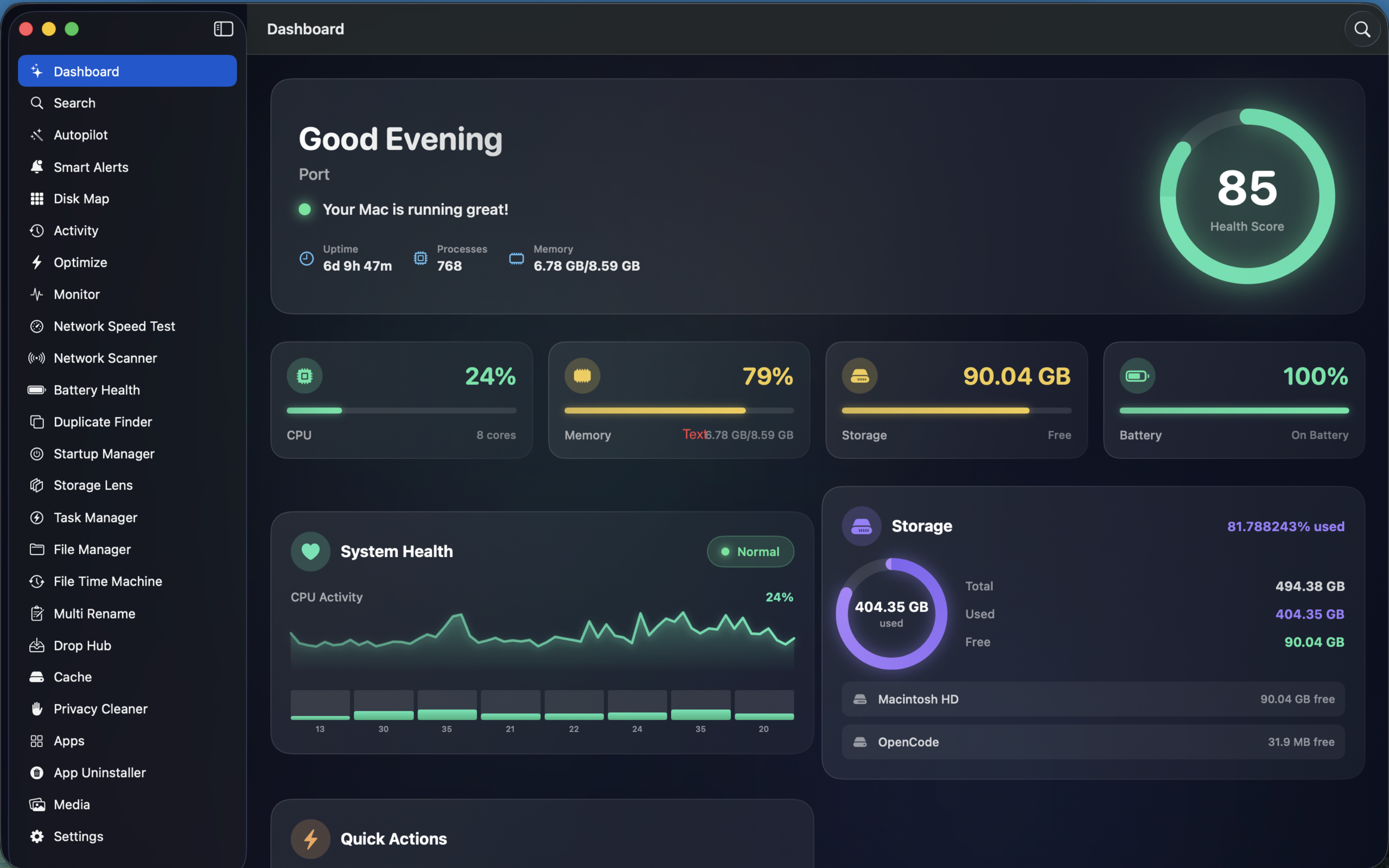
Dashboard

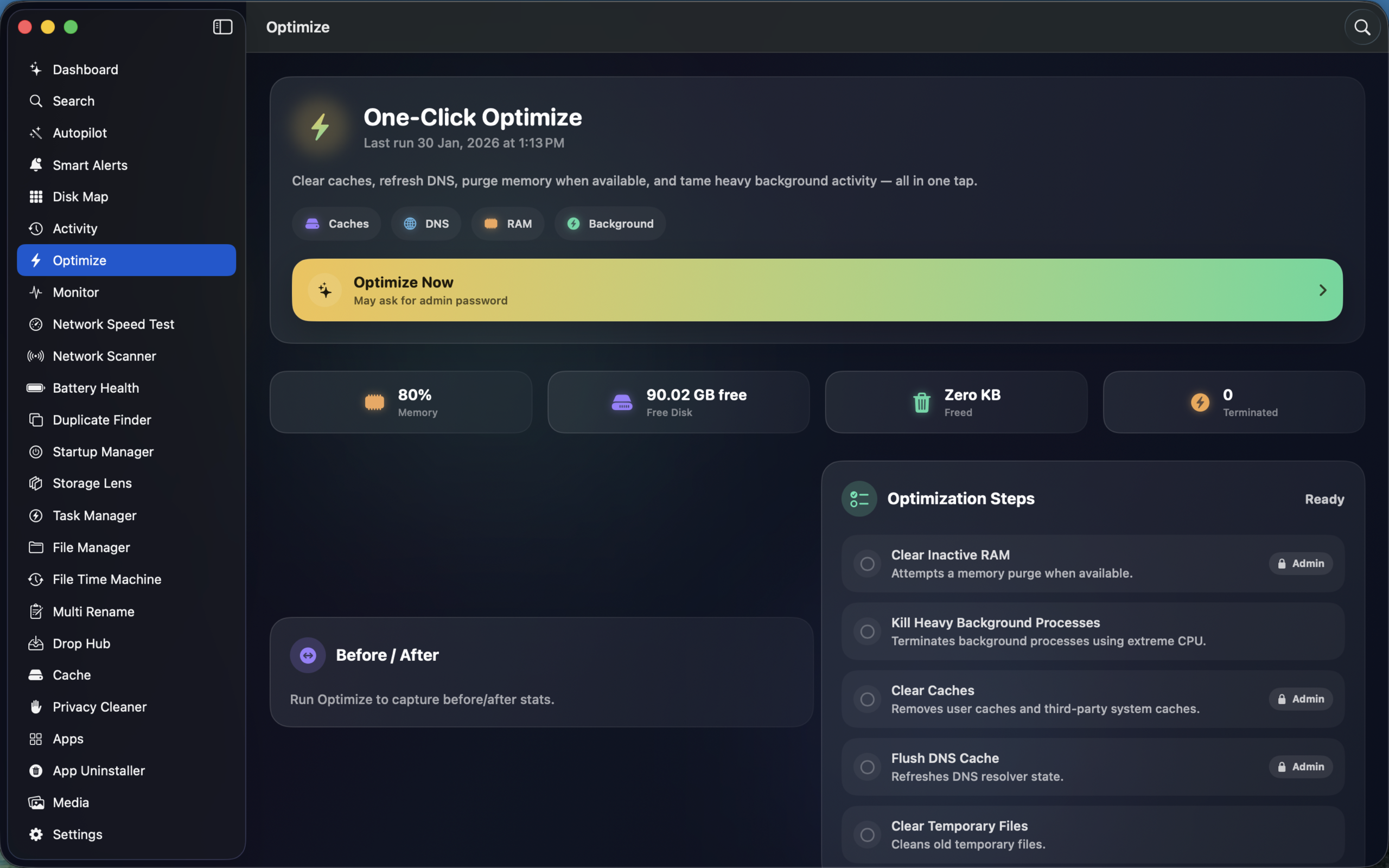
Central hub showing system status, quick stats, scan history, recent activity, and smart recommendations at a glance.

🔍

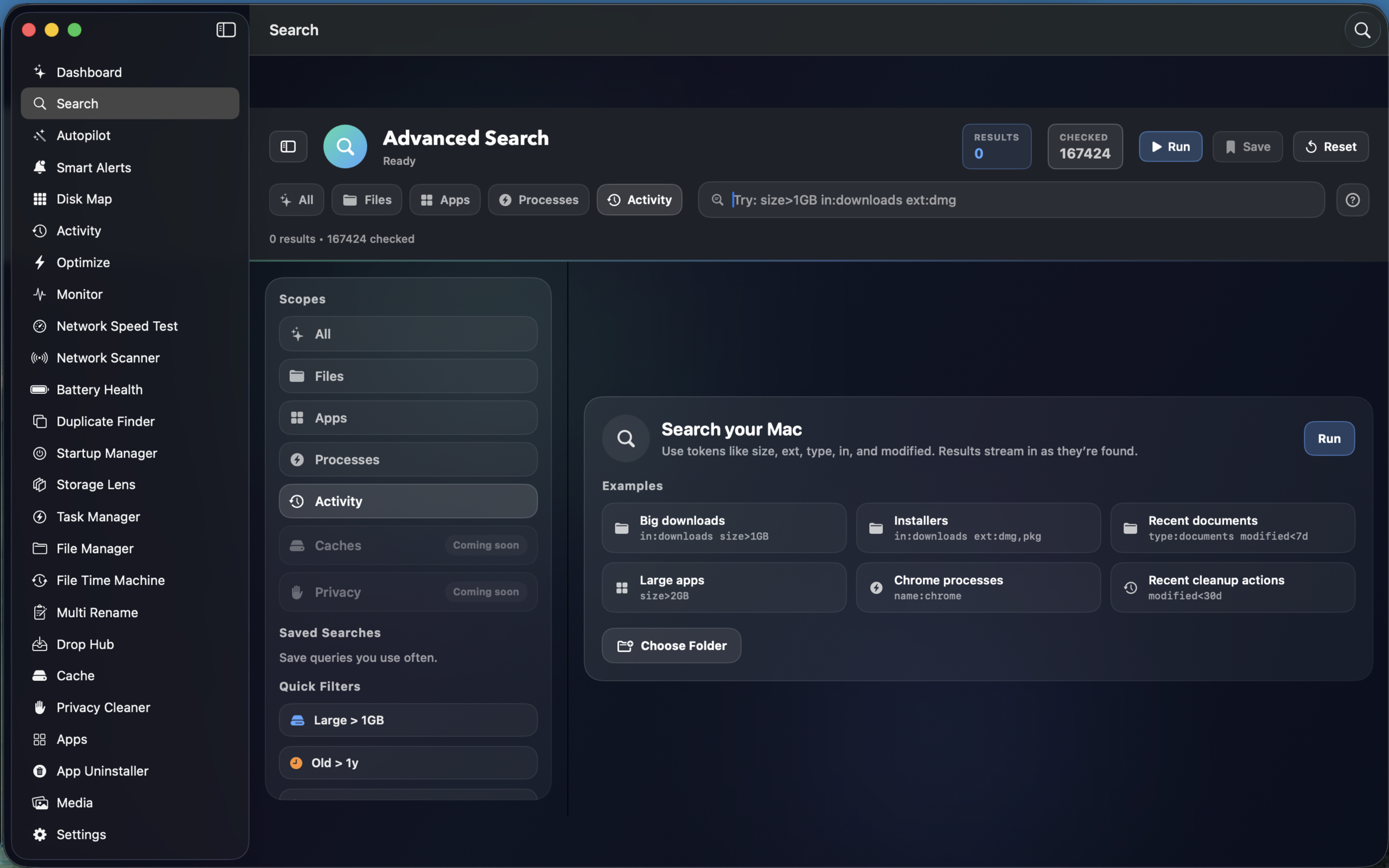
Global Search

Instantly search files with filters, scopes, live results, saved searches, and match reason highlighting.

🤖

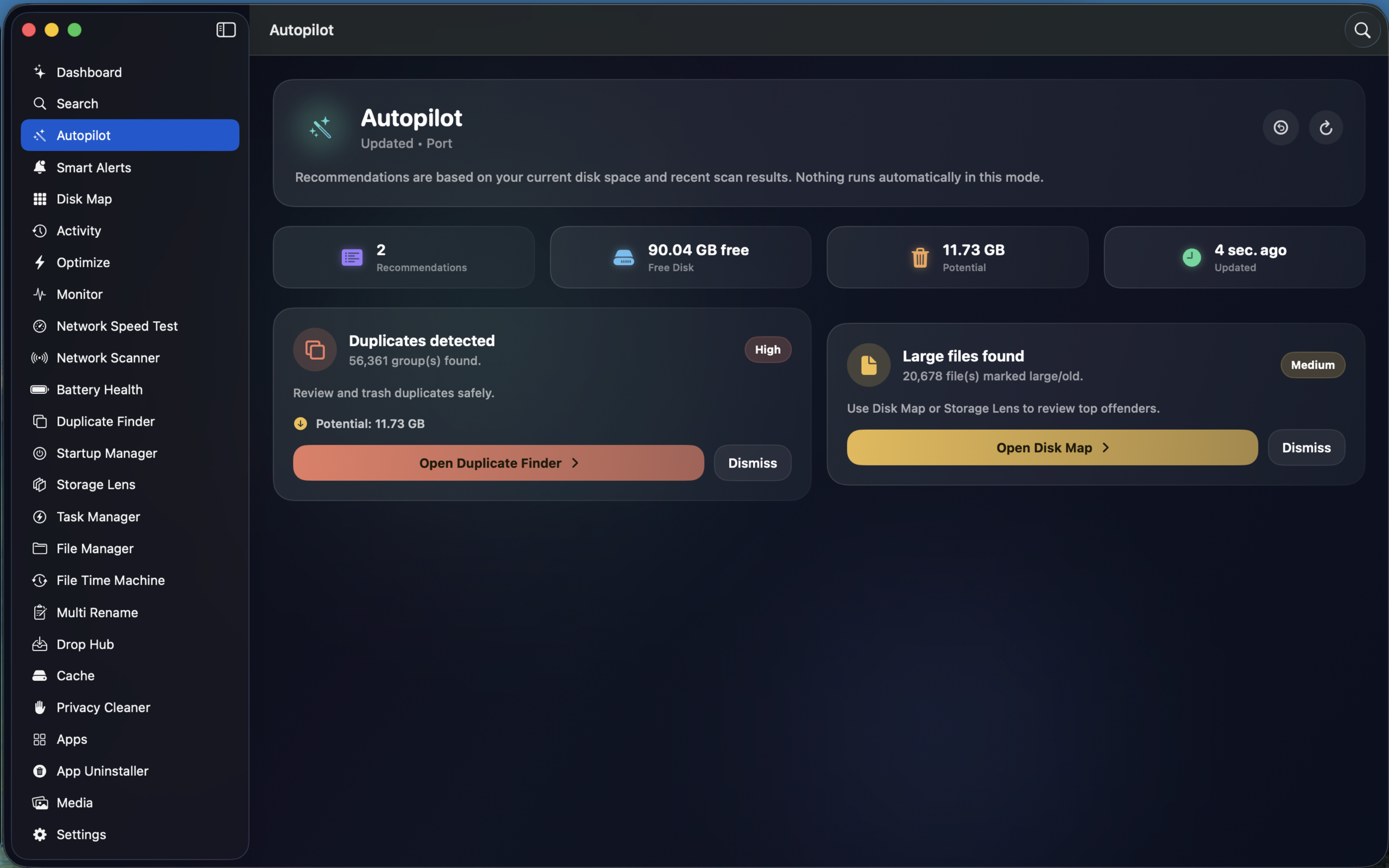
AutoPilot

AI-driven recommendations based on system state — low disk, cache cleanup, duplicate removal with priority levels.

🔔

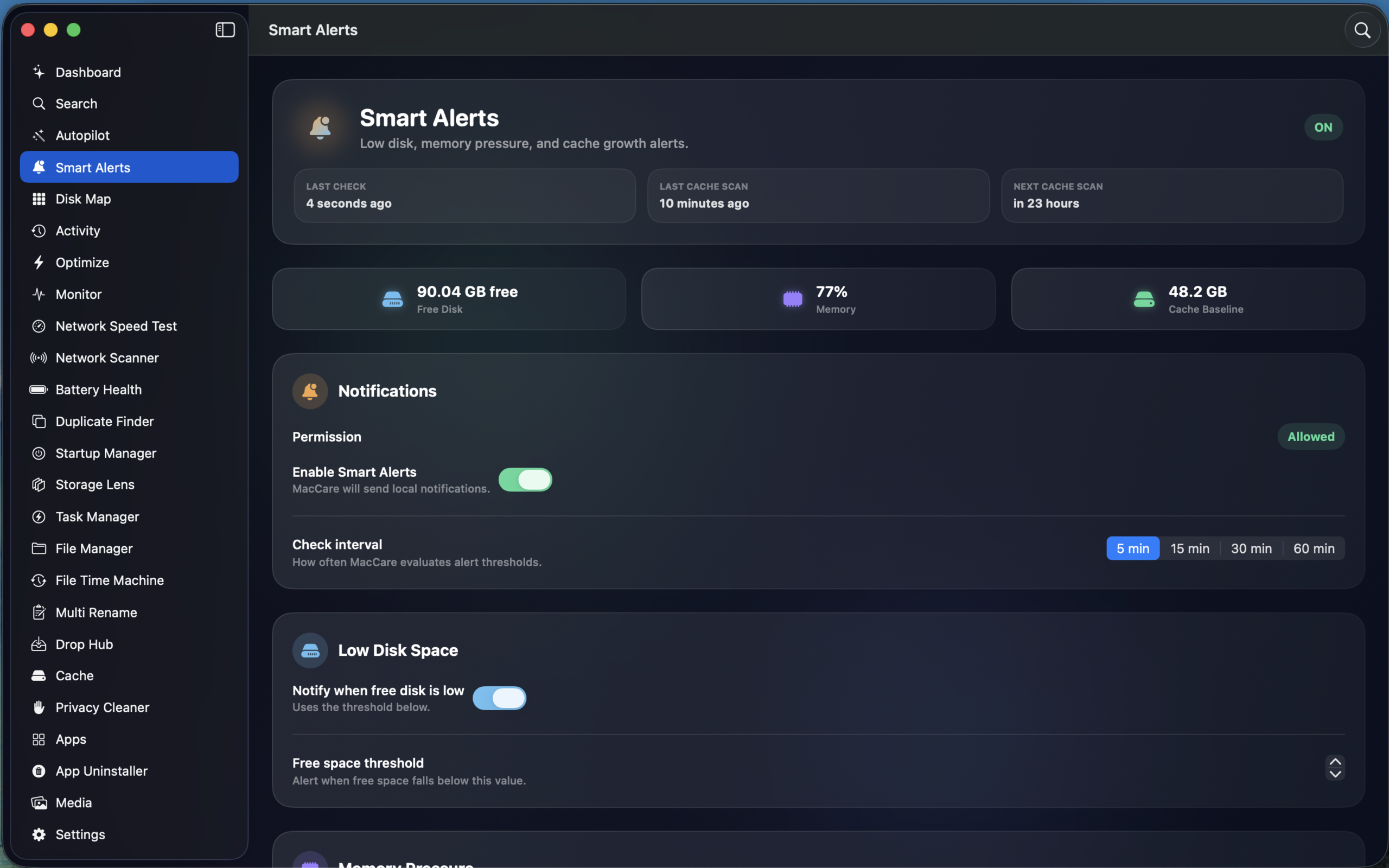
Smart Alerts

Configurable alerts for low disk space, high memory pressure, cache growth thresholds, and scheduled scans.

💽

Disk

5 features
🗺

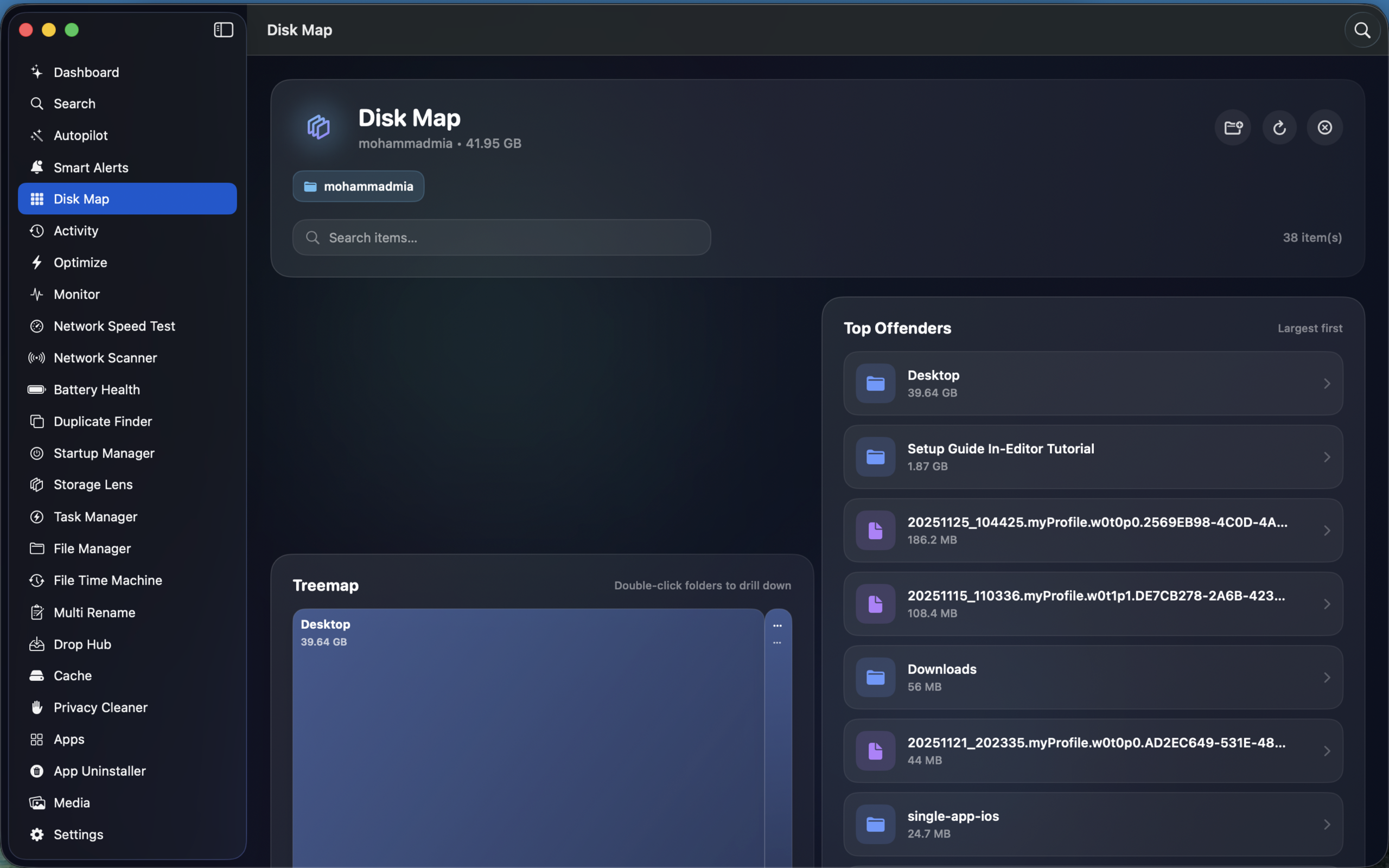
Disk Map

Visual treemap of folder sizes with drill-down navigation, top offenders list, search, and direct trash operations.

🩺

Disk Health

S.M.A.R.T. diagnostics with health scores, temperature monitoring, bad sector detection, NVMe wear tracking, and speed testing.

📊

Storage Lens

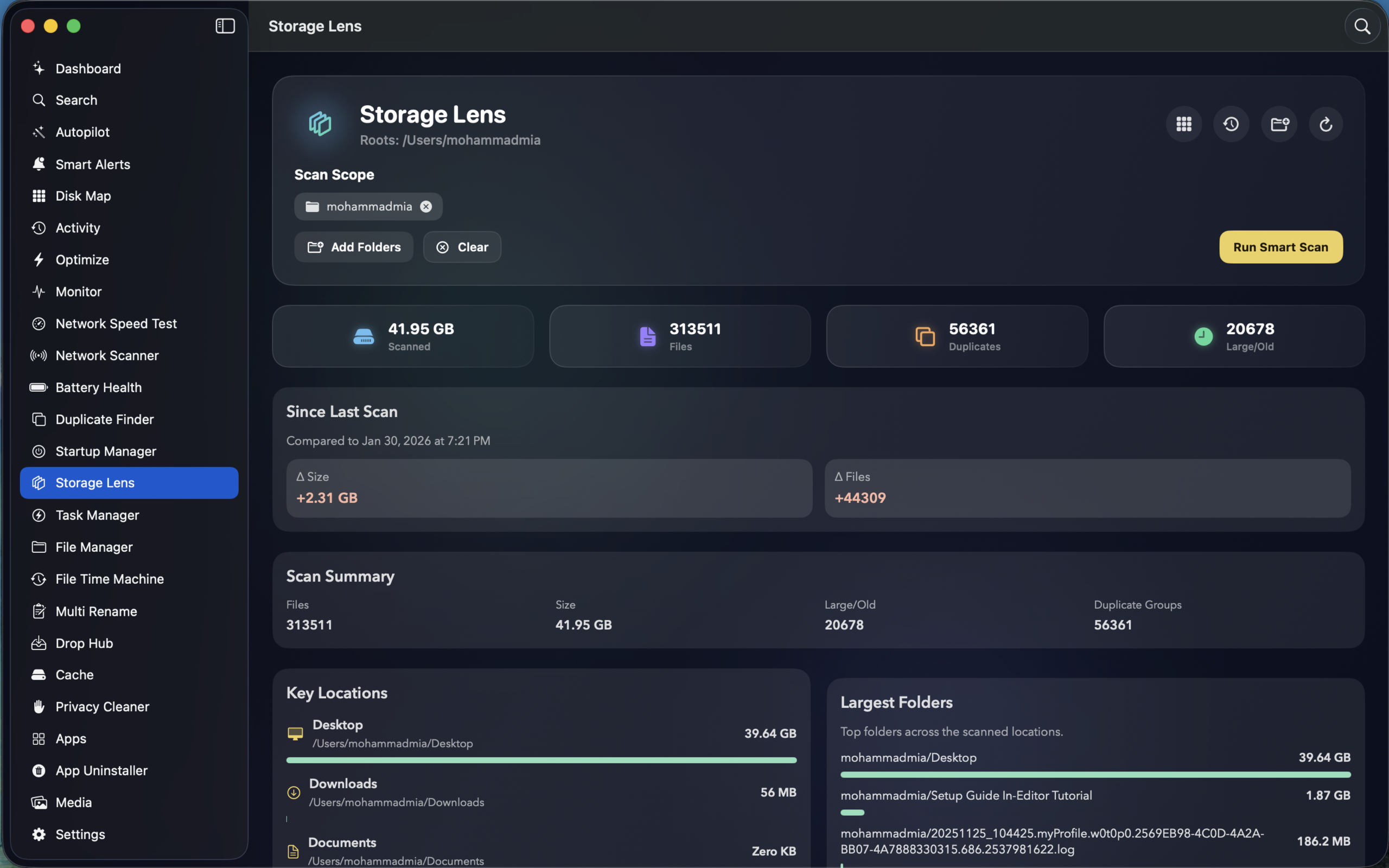
Comprehensive storage analysis — folder usage, file type distribution, age buckets, growth timeline, and interactive charts.

🔍

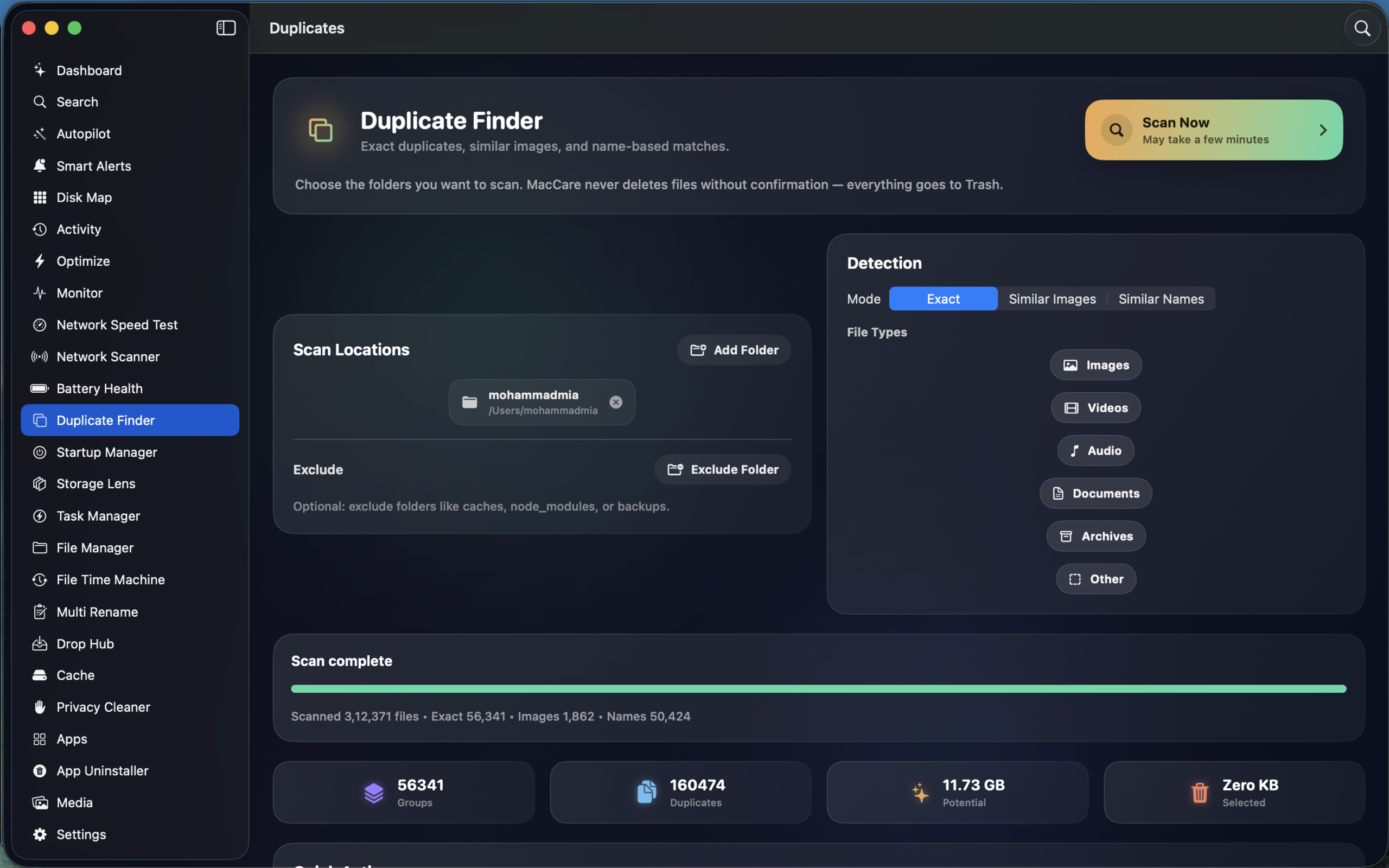
Duplicate Finder

Three modes: exact SHA-256 matching, similar images via perceptual hashing, and similar name detection with file type filters.

📋

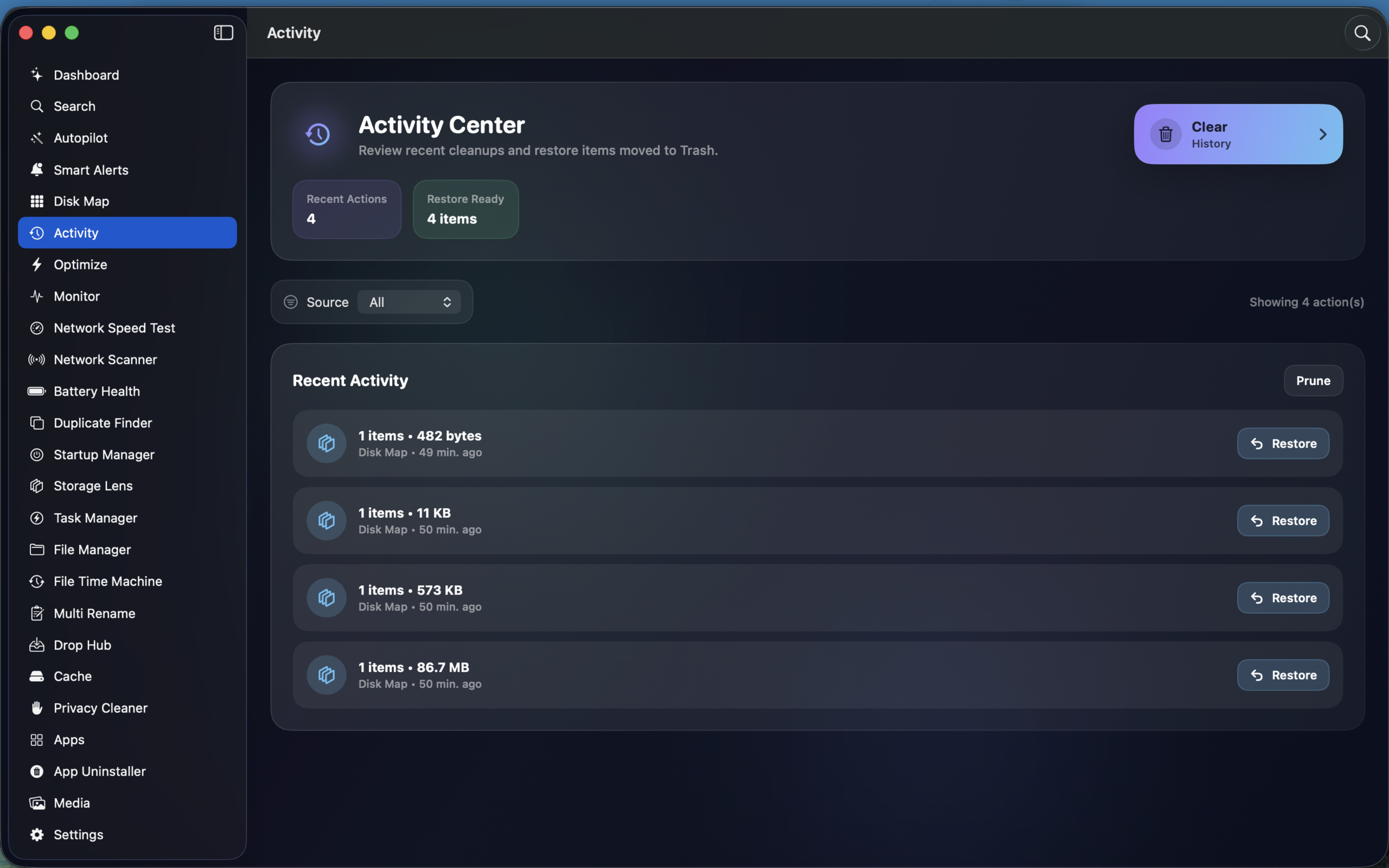
Activity Center

Full scan and cleanup history tracking with undo capability. Review every action taken and restore files if needed.

⚙

System

5 features
📈

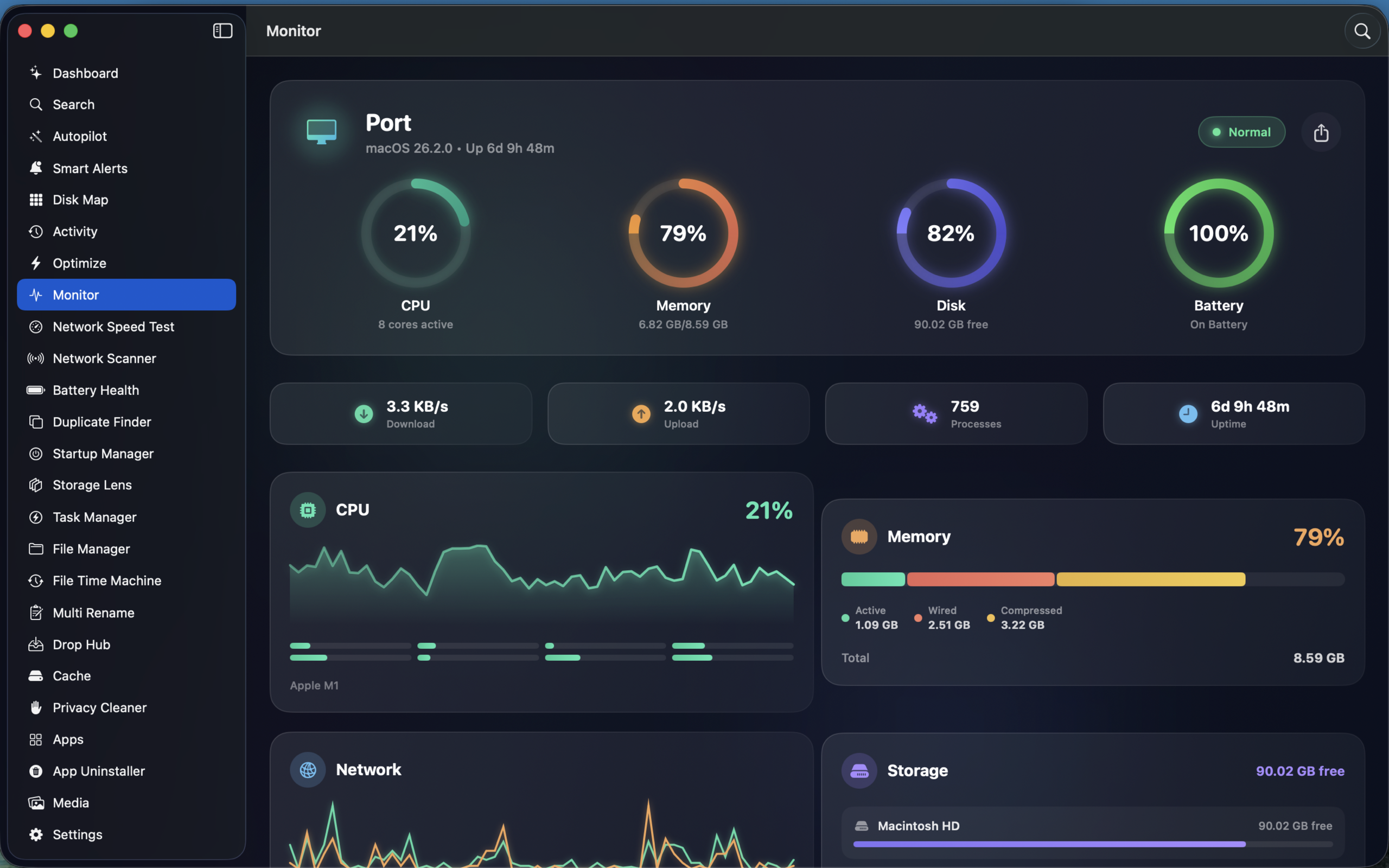
Real-Time Monitor

Live CPU, memory, disk I/O, network, battery, GPU, and thermal monitoring with per-core breakdown and history graphs.

💻

Task Manager

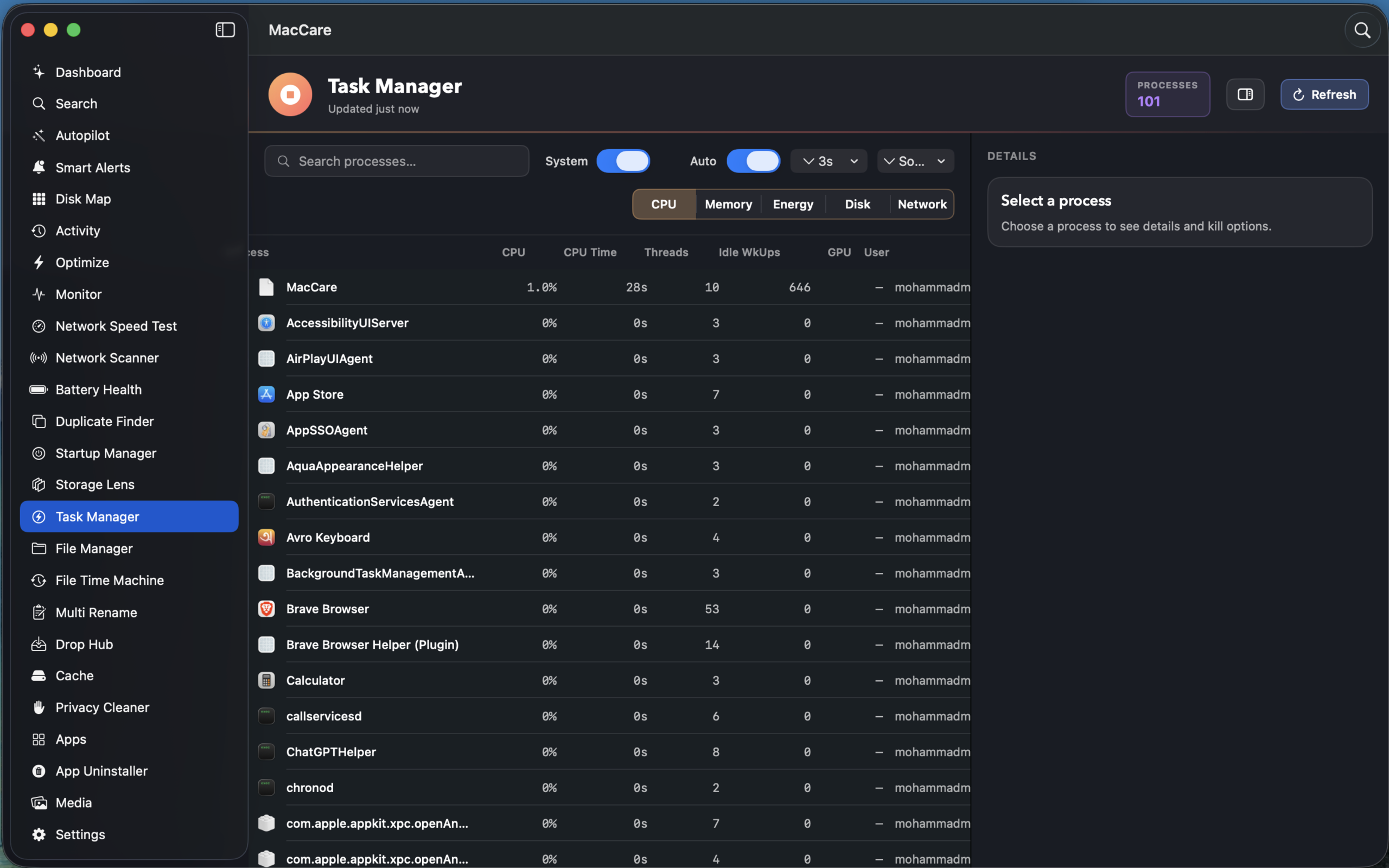
Advanced process management — CPU, memory, energy, disk, network views. Quit or force-kill processes with full detail panels.

🔋

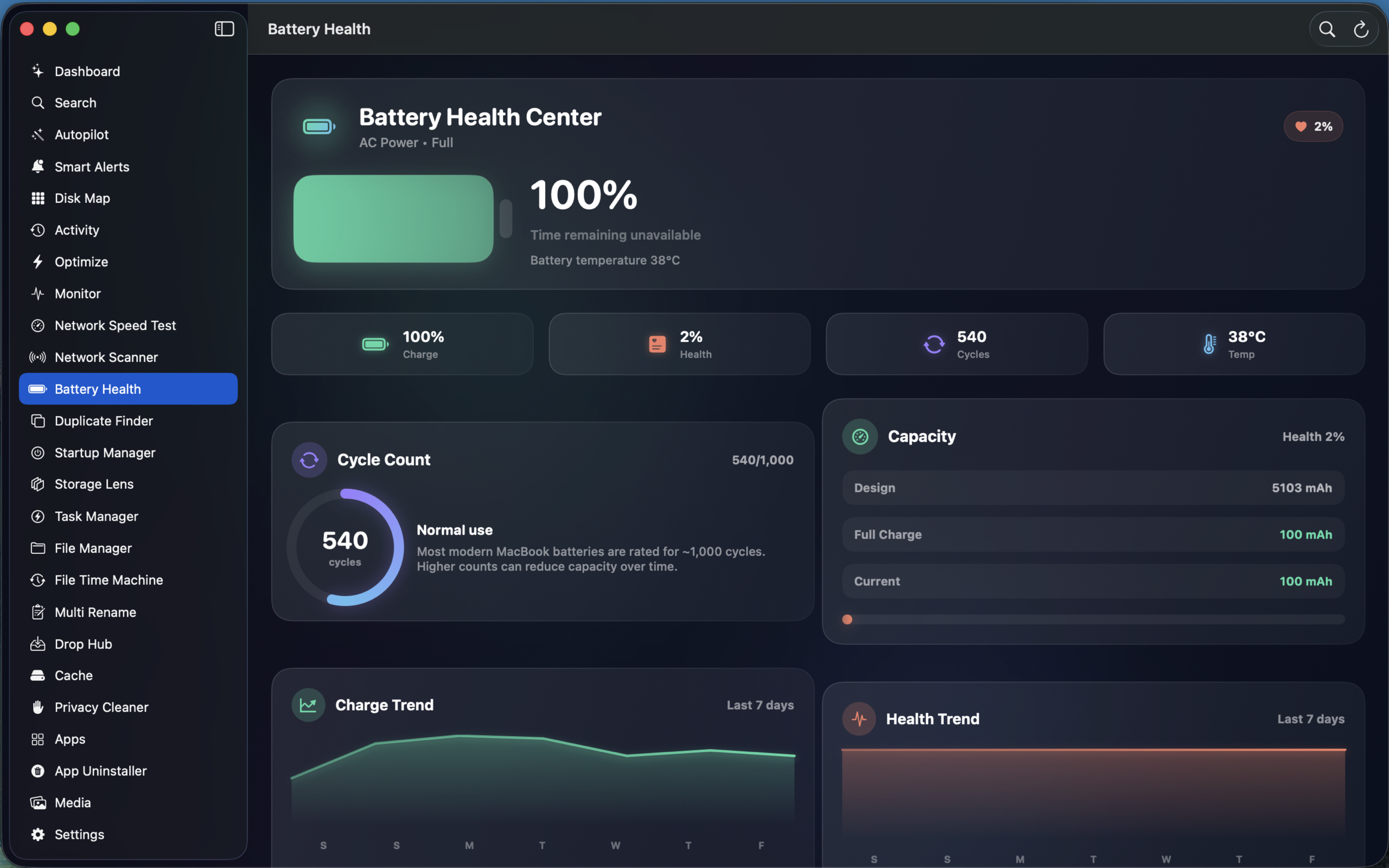
Battery Health

Battery diagnostics and health monitoring. Track charge cycles, health percentage, and power consumption over time.

⚡

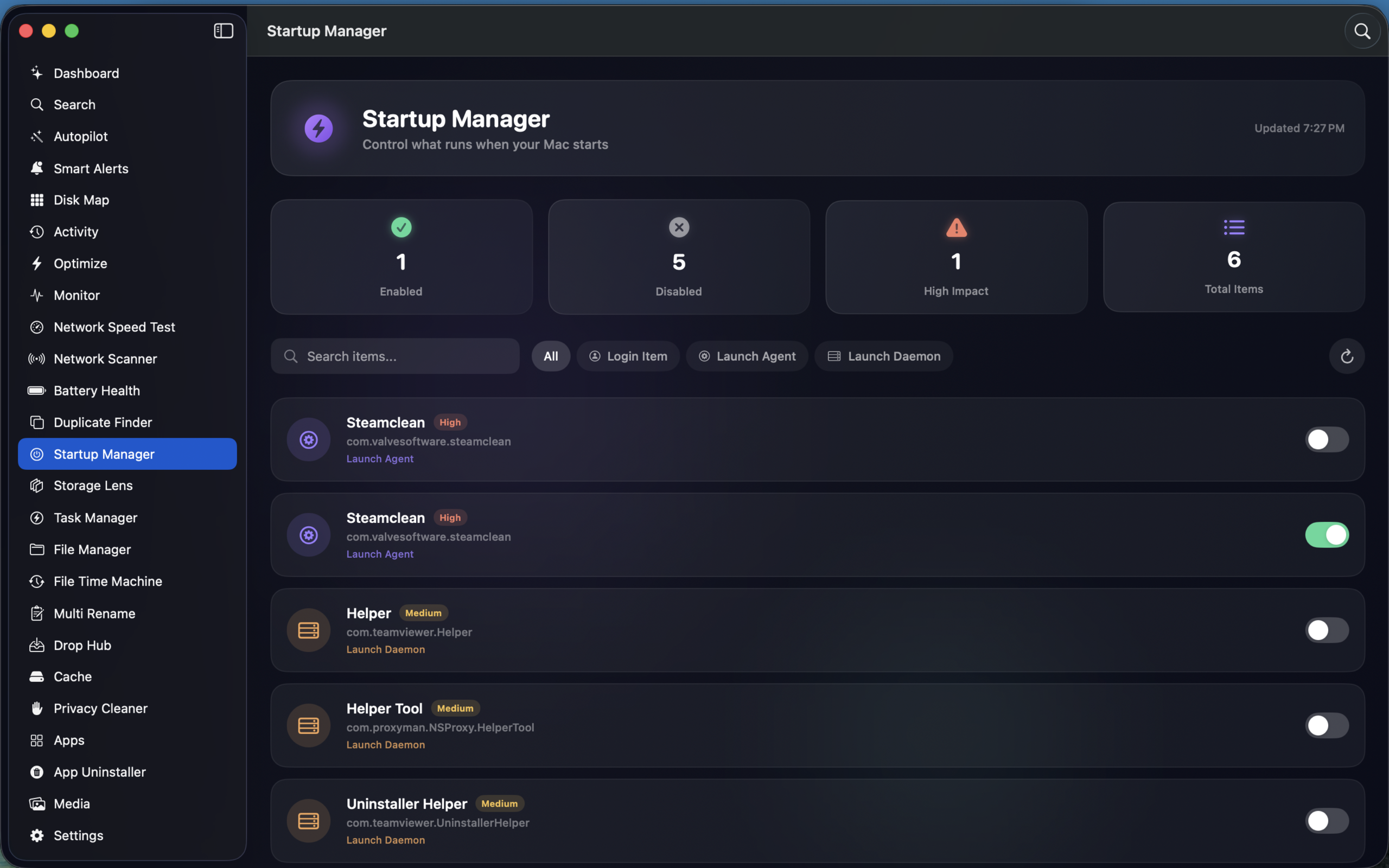
Startup Items

Manage login items and startup applications. Speed up boot time by disabling unnecessary launch agents.

🎯

Performance Profiler

Application and system performance analysis. Identify bottlenecks and resource-hungry processes impacting your Mac.

🌐

Network

2 features
🚀

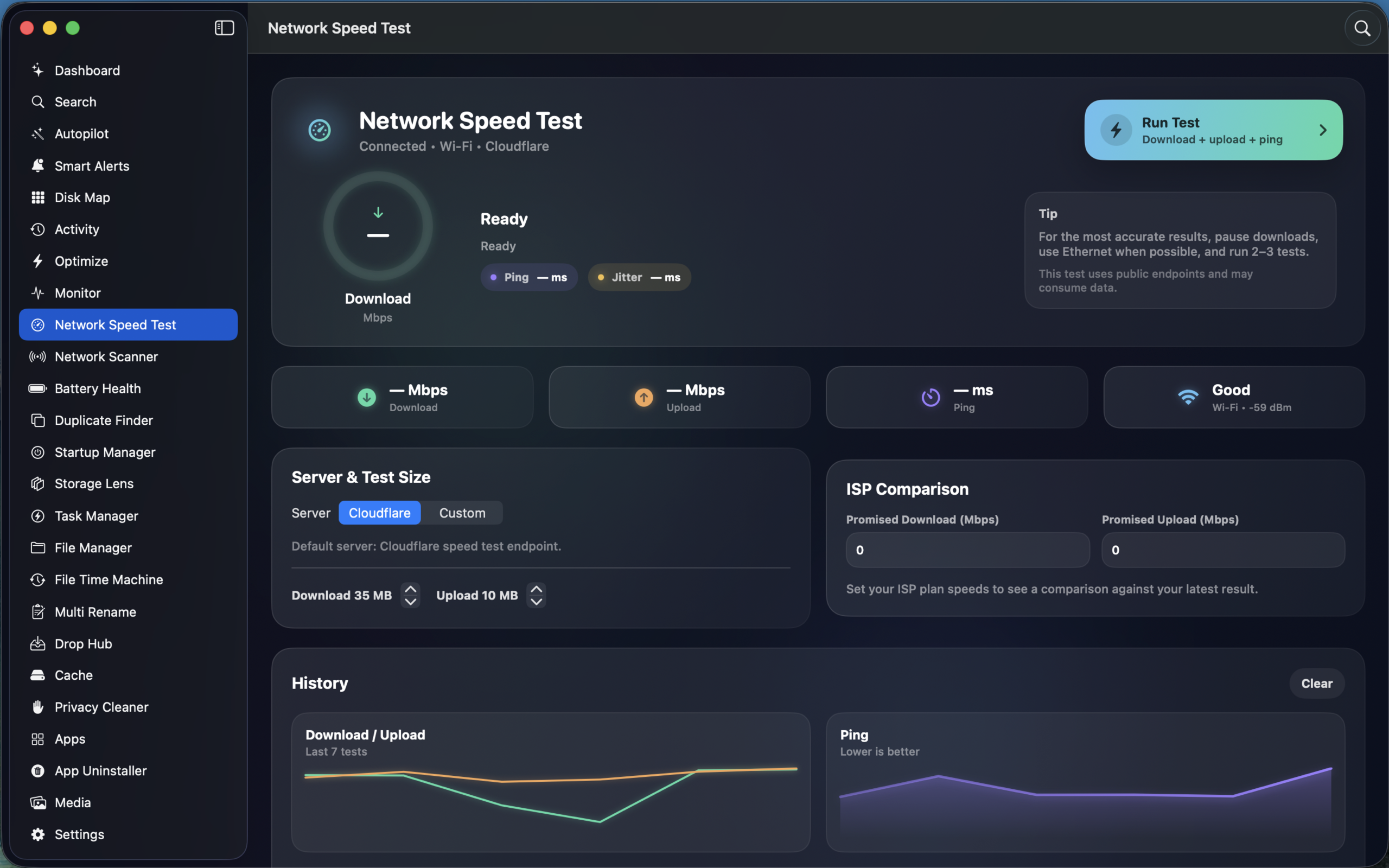
Network Speed Test

Test your internet connection speed with download, upload, and latency measurements right from the app.

📡

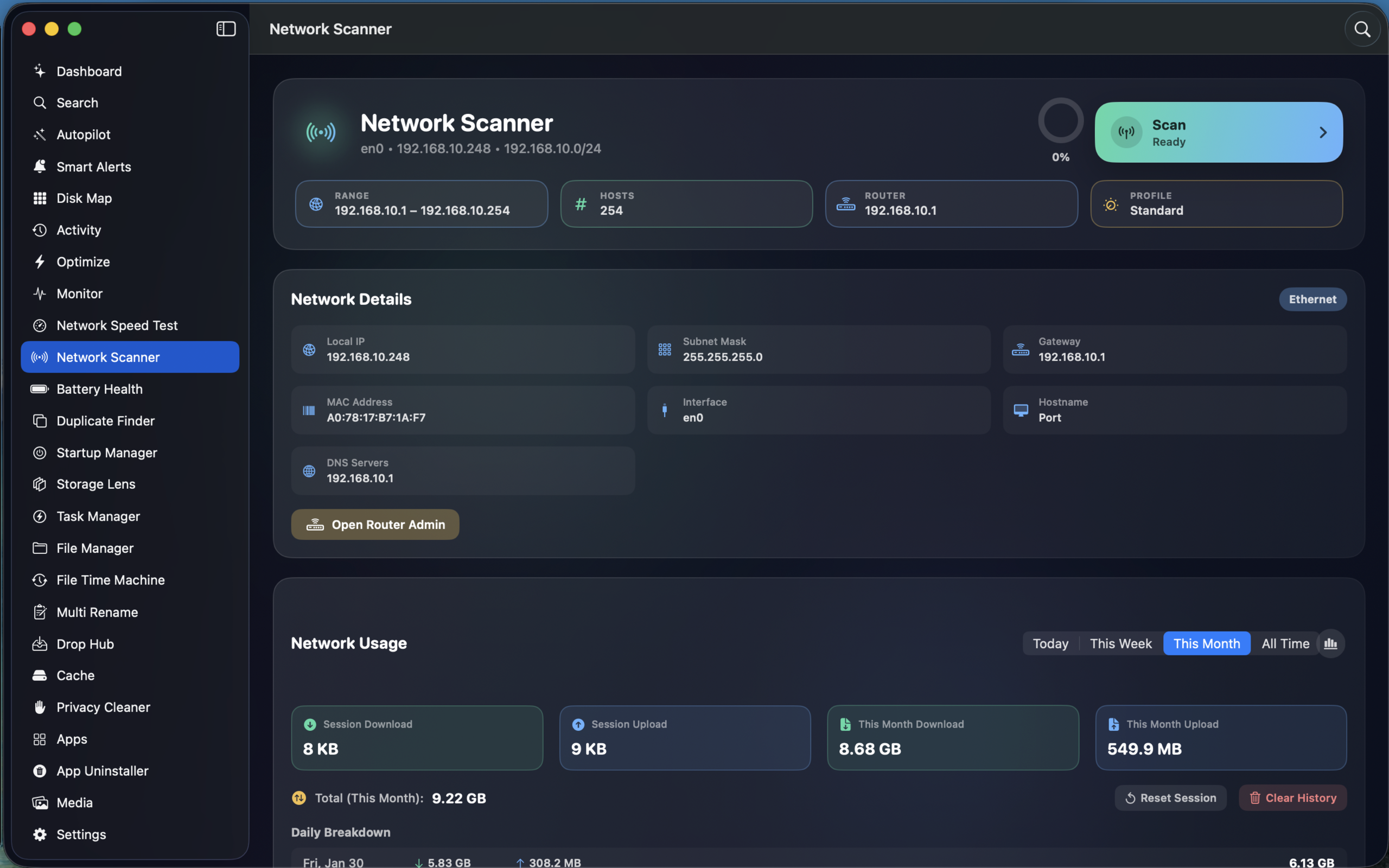
Network Scanner

Discover devices on your network with TCP scanning, port detection, Wi-Fi info, MAC vendor lookup, and usage tracking.

📂

Files

6 features
🗂

File Browser

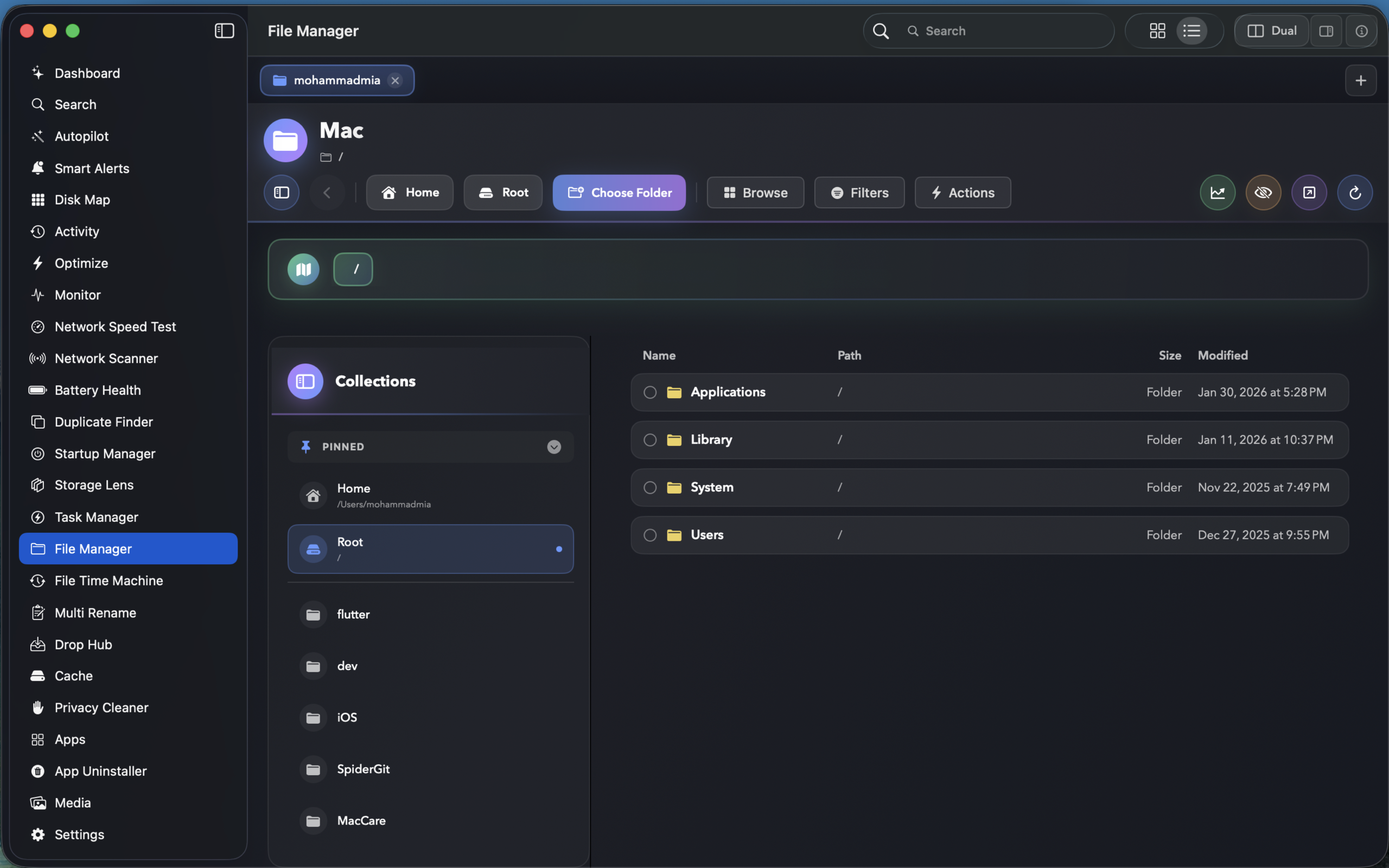
Advanced file browser with card/detail views, smart collections, move presets, folder insights, snapshots, and smart exclusions.

⏳

File Time Machine

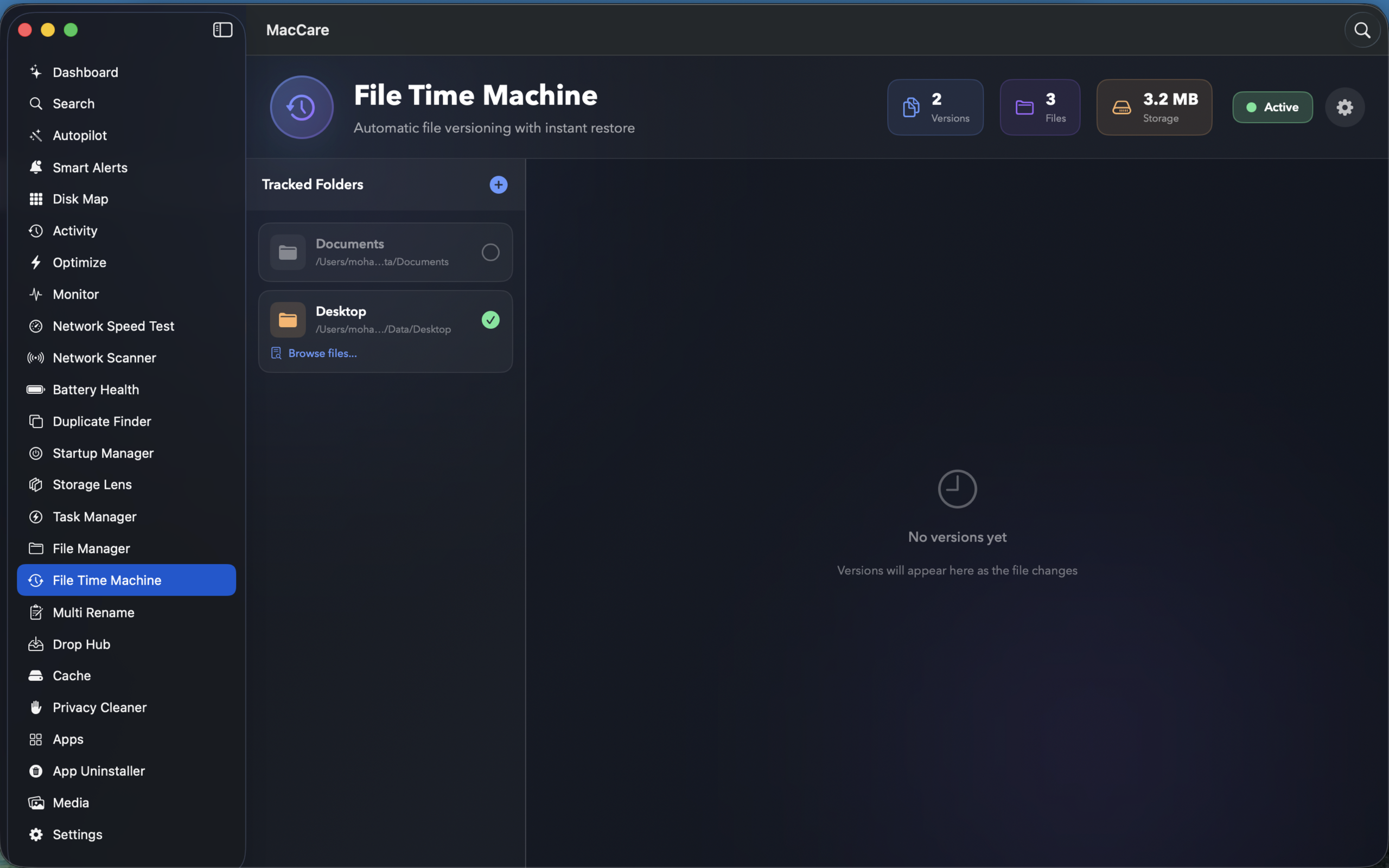
Automatic file versioning with timeline view, manual snapshots, version comparison diffs, and multiple restore options.

✏

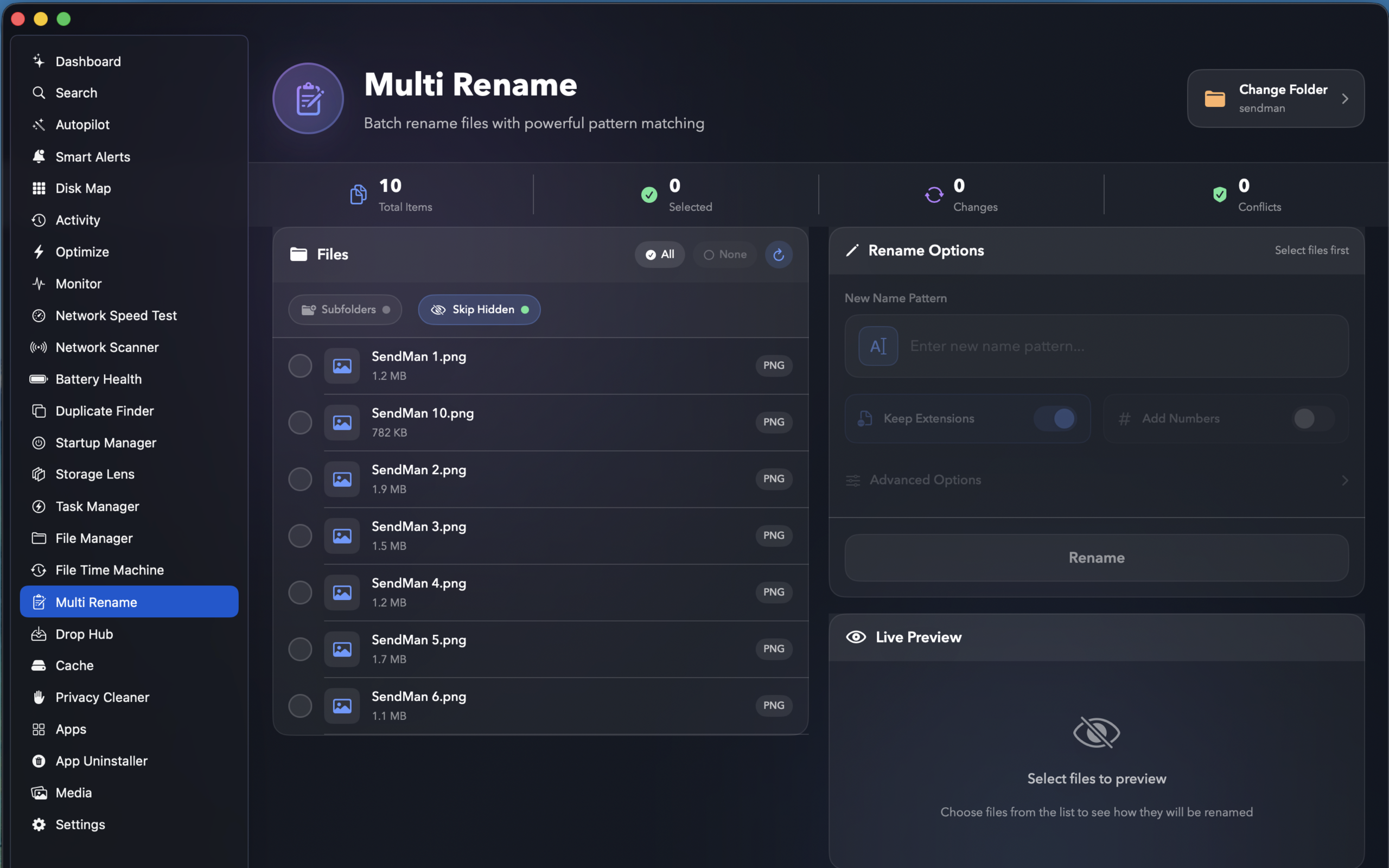
Multi Rename

Batch rename files — case transforms, numbering, find/replace, prefix/suffix with live preview and conflict detection.

📥

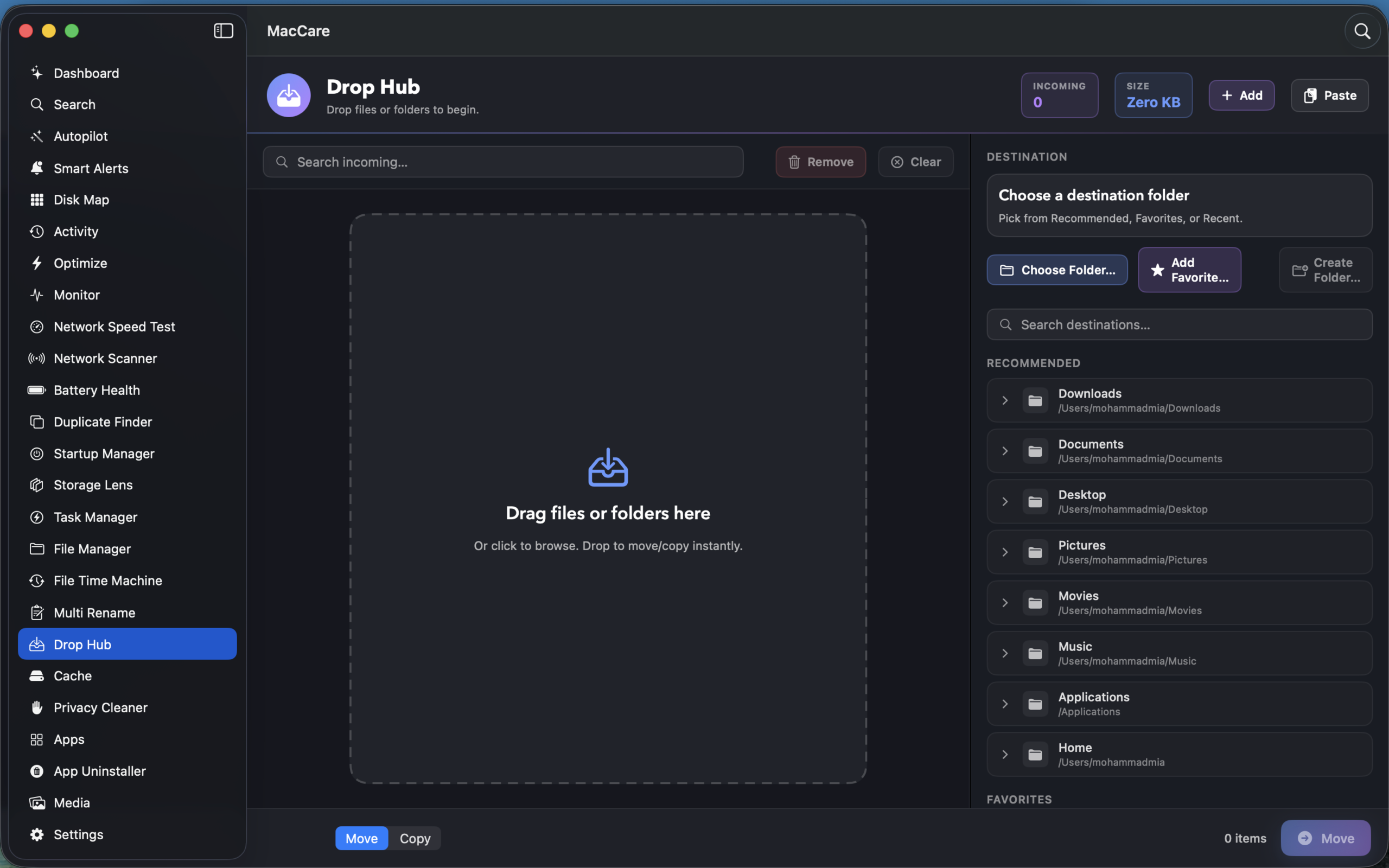
DropHub

Drag-and-drop file organization with smart destinations, move/copy actions, conflict resolution, and favorites.

📄

Documents

Document hub with PDF viewer, PDF tools, Markdown editor, templates, and recent files — all in one place.

☁

Cloud Storage

Scan iCloud, Dropbox, Google Drive, and OneDrive. Find large files and cross-cloud duplicates with per-service stats.

📦

Apps

5 features
🧹

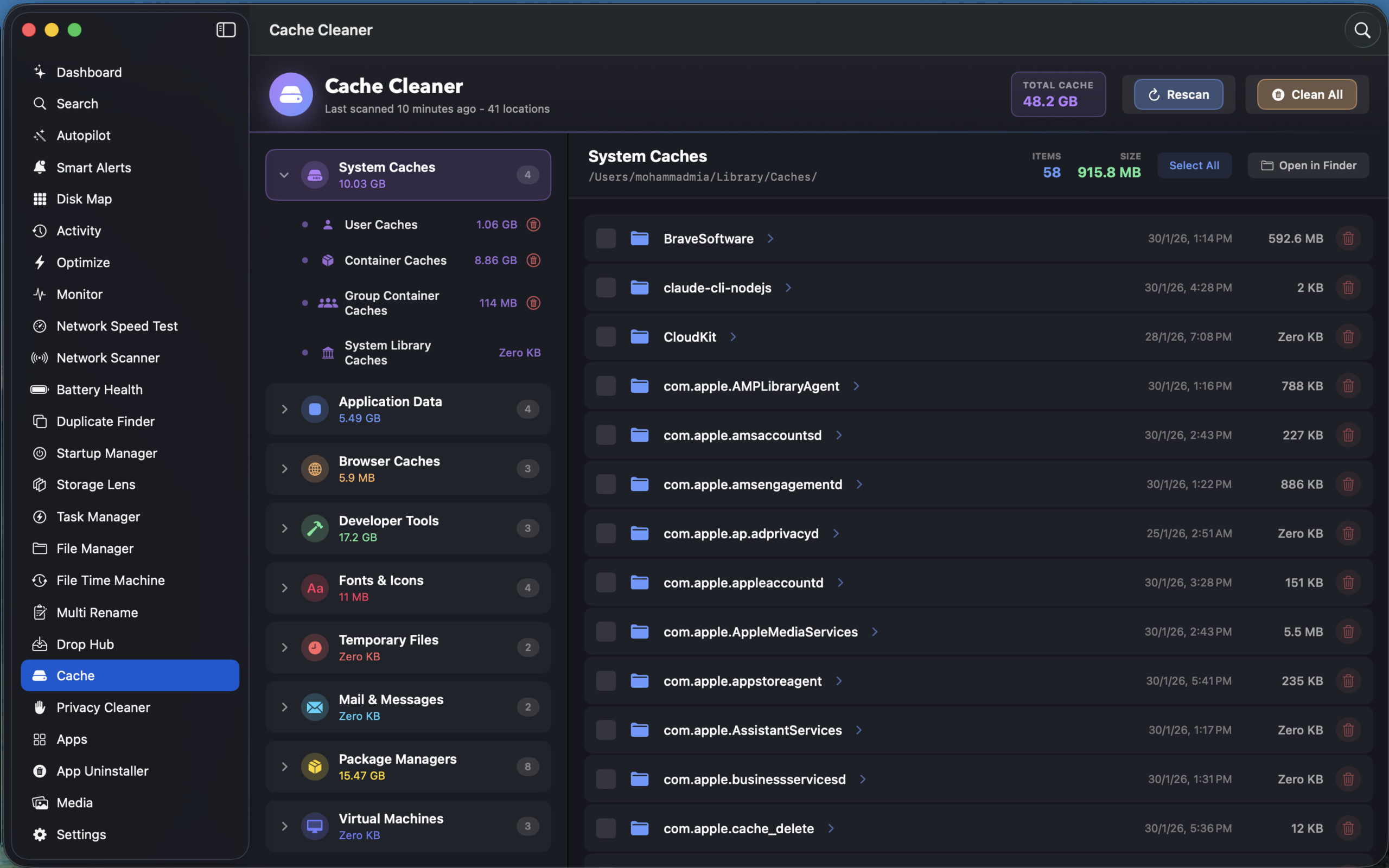
Cache Cleaner

Scan and clean system, user, app, browser, and dev caches across 77+ locations with permission-aware selective cleaning.

🛡

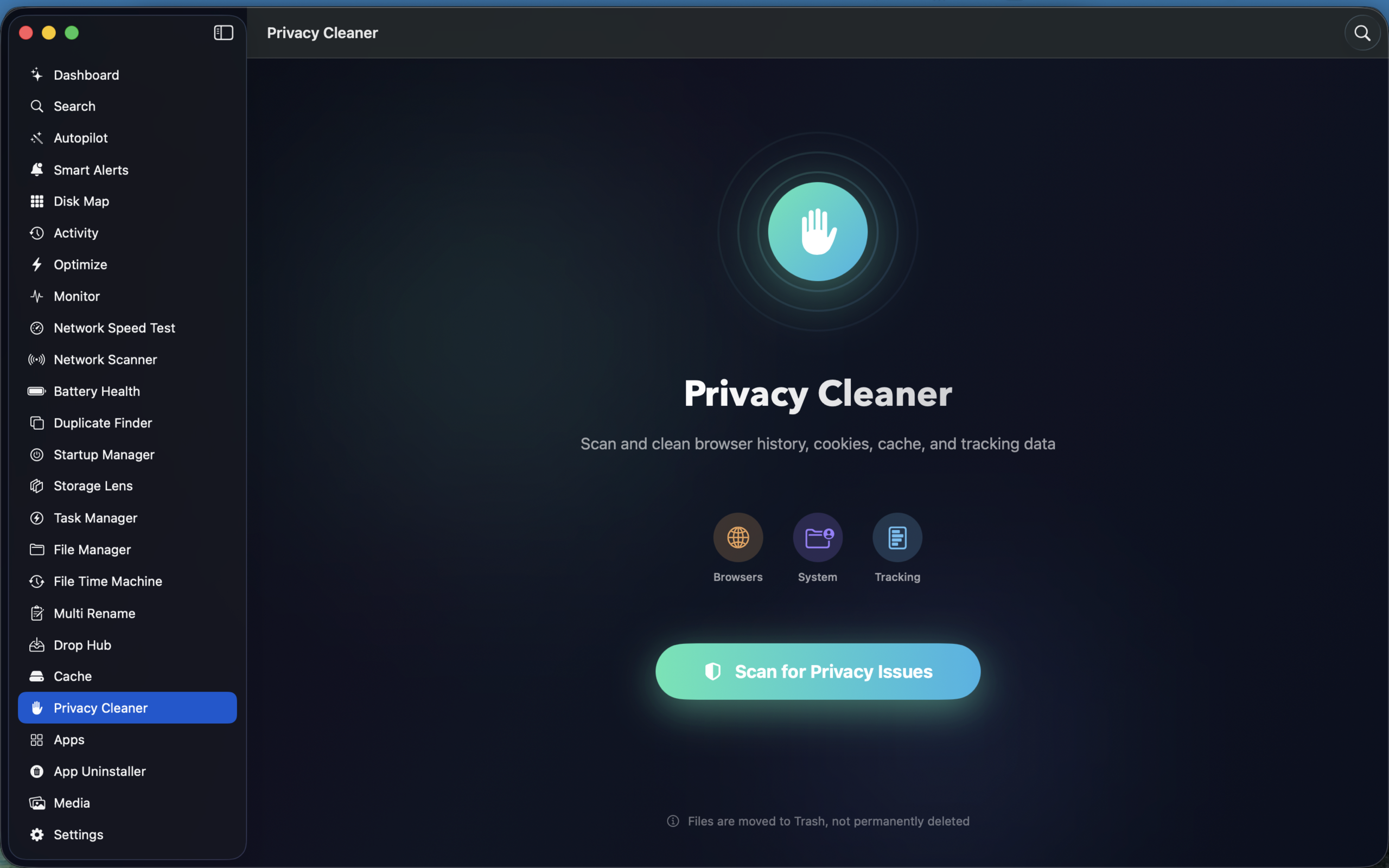
Privacy Cleaner

Privacy score with browser data, system privacy, and tracking cleanup. Auto-schedule cleaning with risk level indicators.

📋

Clipboard History

Full clipboard manager with pin, search, private mode, encryption, sensitive content detection, and menu bar integration.

📦

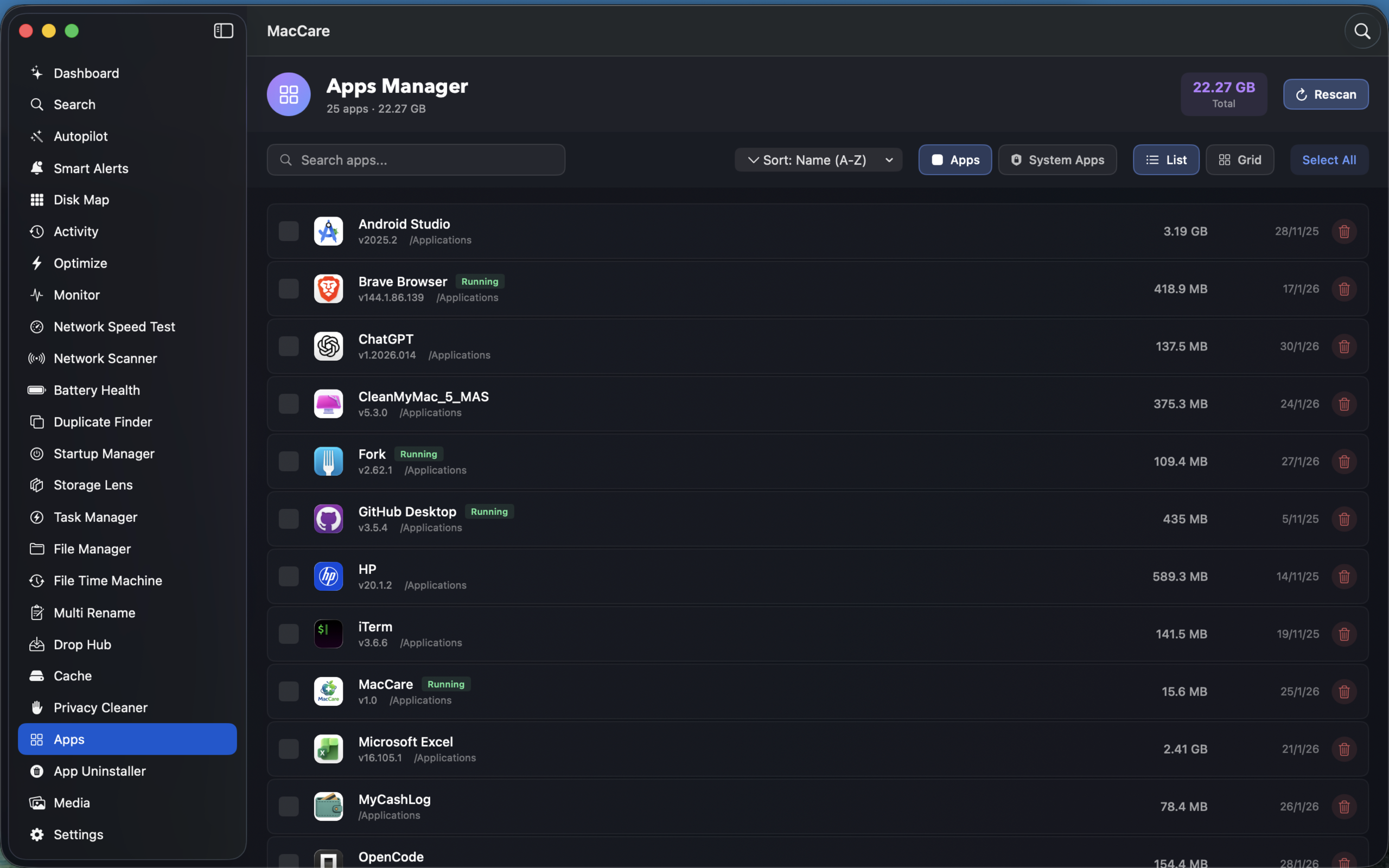
Apps Manager

Complete app inventory with list/grid views, size analysis, running status detection, and bulk uninstall to Trash.

📊

App Usage

Application usage tracking and screen time monitoring. Understand how you spend time across your installed apps.

🎬

Media

1 feature
🖼

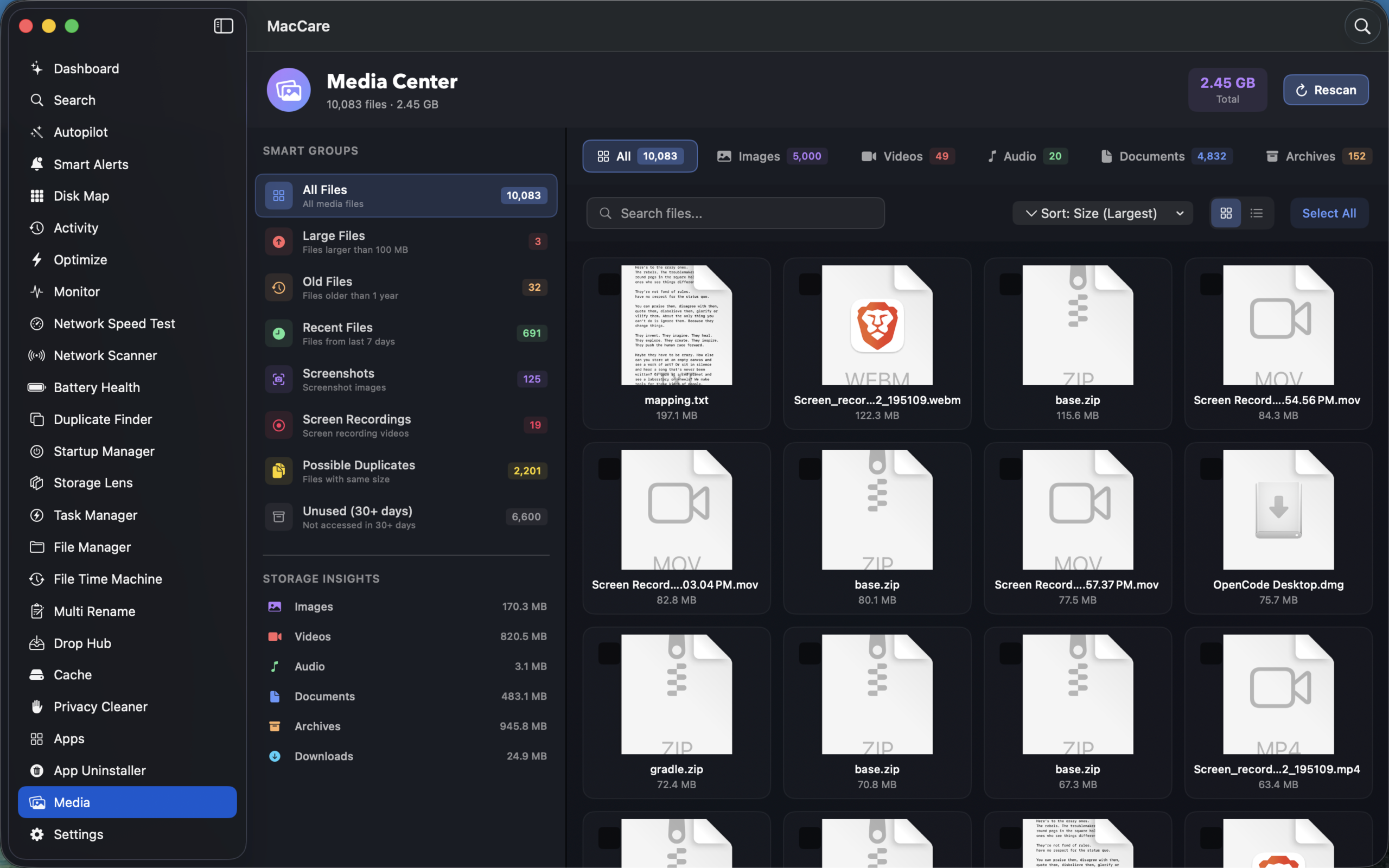
Media Gallery

Visual gallery for photos and videos. Browse, preview, and manage your media files with an intuitive visual interface.

Clean your Mac in three simple steps

Get started in minutes. MacCare handles the complexity so you don't have to.

1

Grant Access

Give MacCare permission to scan your files securely using macOS security-scoped resources. Your data never leaves your Mac.

2

Smart Scan

One-click scan analyzes your entire filesystem — finding duplicates, large files, old downloads, caches, and archives automatically.

3

Clean & Organize

Review AI-powered suggestions, move files with presets, track changes with folder snapshots, and reclaim your storage space.

What you need to get started

✓

macOS 13.0+

Ventura, Sonoma, or Sequoia
✓

Apple Silicon or Intel

Universal binary support
✓

Full Disk Access

For comprehensive scanning
✓

50 MB Disk Space

Lightweight installation

Simple, transparent pricing

Start free with essential tools. Upgrade for the full experience.

Monthly
$6.99 / mo
Flexible month-to-month access
  • All 30+ features unlocked
  • Unlimited smart scans
  • AutoPilot & Smart Alerts
  • Cache & Privacy Cleaner
  • Task Manager & Monitor
  • Network tools
  • File Time Machine
  • Cancel anytime
Get Monthly
Lifetime
$99.99
One-time payment, forever yours
  • Everything in Yearly
  • Pay once, use forever
  • All future updates included
  • No recurring charges
  • Full undo & cleanup history
  • All 30+ tools & features
  • Lifetime priority support
Get Lifetime

Ready to reclaim your Mac's potential?

Join thousands of Mac users who keep their systems clean and fast with MacCare.

Get Started Free